> For the complete documentation index, see [llms.txt](https://docs.mifos.org/llms.txt). Markdown versions of documentation pages are available by appending `.md` to page URLs; this page is available as [Markdown](https://docs.mifos.org/mifosx/user-manual/for-operational-users-mifos-x-web-app/accounts-and-transactions/overdraft-account.md).
# Overdraft account
### Create Overdraft Account
Select Products from the welcome page and click on **Savings Product**
1\) Go to the specific Client and click on 
2\) New savings applications page opens, Select savings product >> Defined overdraft product.
An example of overdraft product is shown below:-
\>> Nominal annual interest rate is defined as 8%.
\>> Is overdraft allowed is True (Enabled)
\>> Maximum Overdraft limit is set as 100000
\>> Nominal annual interest rate for overdraft is 12%
\>> Minimum overdraft required for interest calculation is set as 0.

3\) Fill up all the required details below showing an example of the shown selected product with default values.

Then click on submit.
4\)Next, the Overdraft Account needs to be approved and activated with specified date.
5\) Overdraft Account gets created with active status.
### To Deposit
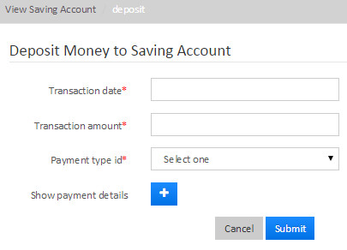
Click on  button to make deposits.
Provide Transaction date, amount payment type and click on **submit** button.
### To Withdraw
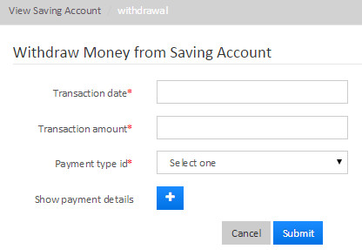
Click on  button to make withdrawals.
### Transactions
An example of transaction is shown below.
As you could see transaction type:
\>>As Interest posting is calculated on the positive balance, 8% of 20,000 and it has posted interest accordingly.
\>> As Overdraft interest is calculated on the negative balance, 12% of -29779.64 and interest is accordingly.

### Related articles
* Page:[Overdraft Product](/mifosx/user-manual/for-administrators-mifos-x-platform/administration/products/overdraft-product.md)
* Page:[Overdraft account](/mifosx/user-manual/for-operational-users-mifos-x-web-app/accounts-and-transactions/overdraft-account.md)
* Page:[How to create overdraft account (Draft)](/mifosx/user-manual/for-operational-users-mifos-x-web-app/accounts-and-transactions/deposit-accounts/mifos-x-saving-accounts/how-to-create-overdraft-account-draft.md)
* Page:[Account Number Preferences](/mifosx/user-manual/for-administrators-mifos-x-platform/administration/system/account-number-preferences.md)